

Archive, Deactivate and Delete: Distinct Actions in a Business Web App
Distinguish archive, deactivate and delete through their effects on history, new transactions, search, permissions and recovery.

Archive, deactivate and delete should represent distinct actions in a business web app. Archiving may remove a record from active work, deactivation may prevent new use, and deletion introduces a removal consequence that needs explanation. The exact meaning follows the application’s rules; a button name alone is not a reliable specification.
Start with data that has already been used, such as a supplier appearing on historical transactions. The question is not simply whether a row remains visible. The team needs to understand the history and know whether that record can be selected for new work.
Write down what each action changes
Use one example record to compare the decisions. Supplier “S-104” has existing transactions but will receive no new orders. Do not select delete merely because the name no longer belongs on the everyday working list.
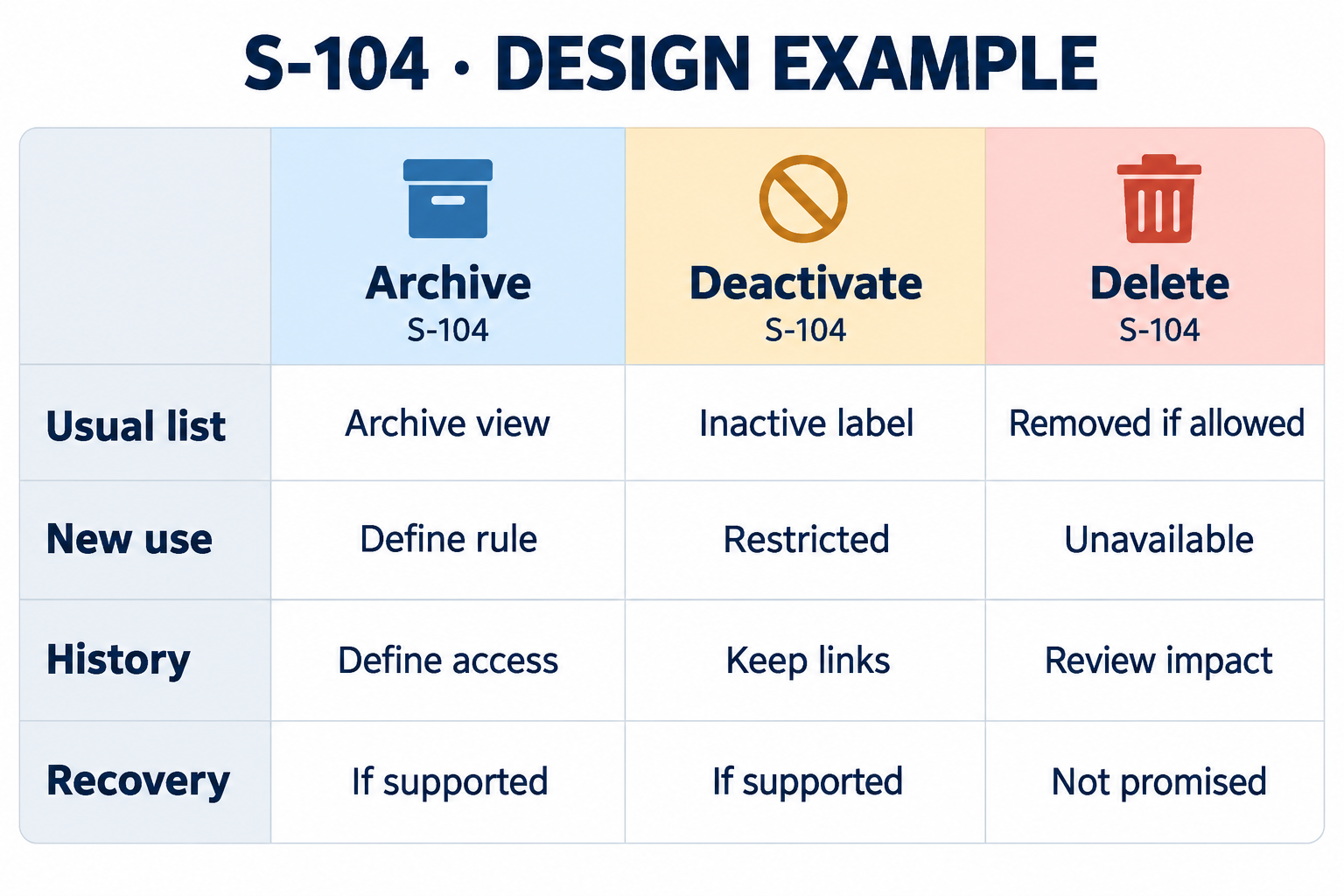
| Question | Archive | Deactivate | Delete |
|---|---|---|---|
| Visible in the usual list? | Define active and archive views | Can be distinguished by status | Explain whether the record disappears |
| Usable for new transactions? | Needs its own explicit rule | Usually restricted by the agreed policy | Availability cannot be assumed |
| Historical records readable? | Define access and identity | Preserve the relationships needed | Review the effect before removal |
| Recoverable? | Explain the available mechanism | Explain reactivation if supported | Do not promise unsupported recovery |
This table is specification material, not a universal rule for every product. An application may use archive differently. The process owner needs to agree on behaviour before choosing interface labels.
Separate keeping data from permitting its use
A retained record does not have to remain available for new transactions. Conversely, hiding a row from one list does not establish that it cannot be selected through another search or a form already open.
Define restrictions as concrete actions. Can an inactive supplier appear in reports and historical transactions while being excluded from a new order? Explain what happens if the status changes while somebody is completing a form.
Real products use different meanings. Accurate describes deactivating and restoring business data, while Kasir Pintar describes transaction archives. These illustrate terms within their respective products; their features and retention periods are not rules to copy into another application.
Decide what must remain understandable
Talk to the team reading old documents. If a supplier changes name or becomes inactive, does an earlier transaction still identify the correct party? Discuss identity, documents and data relationships with the process owner.
Do not assume deleting master data should erase every transaction that referred to it. Equally, do not promise that all information must be kept forever. Retention, privacy and applicable requirements need decisions suited to the business context.
Write the reader need directly: “Staff can read the supplier name on completed transactions, but cannot choose an inactive supplier for a new order.” This is easier to test than “build a safe archive feature”.
Match confirmation to the consequence
A confirmation should name the object and effect. “Deactivate supplier S-104 for new orders?” helps more than “Are you sure?”. If an action cannot be reversed through the application, explain that before the decision.
Specify who can perform each action as well. Someone allowed to edit a contact may not be allowed to delete the record. Permissions should follow the business consequence rather than automatically inheriting every editing capability.
If recovery is supported, make the route clear and apply the agreed access rules. A cancel button should not imply that every completed action can later be undone. Distinguish leaving an unsubmitted dialog from restoring a record whose state has already changed.
Test historical and new work
Prepare both an unused record and one with existing transactions. Check relevant lists, search, old transaction details, new forms and reports. Include the case where two people are viewing the same record.
After deactivation, try a form that already displayed that supplier before the change. The application needs to apply the current rule when processing the action, rather than relying only on the last-loaded option list. Explain the result without discarding unrelated completed fields.
Also check who needs the record after the action. An operational user may not need archived records daily while a reporting owner still needs a reference. Hiding one list from everyone may not serve both tasks. Write each group’s need and allowed recovery action, then check them against the same record. This avoids adding differently named buttons whose consequences remain unclear.
Compare this need with draft and final data states so terms do not overlap. When planning a web app with Creatyf, bring examples and the decisions that must remain understandable. Action labels become clearer once their consequences for historical and new work are agreed.
Official sources
Build
Continue with related guides.

Preparing a Business Website Project
A practical guide to aligning goals, users, content, ownership, scope, and operational readiness before a business website project begins.

Websites, Web Apps, or Mobile Apps
A decision framework for choosing a website, web app, or mobile app based on user tasks, device capabilities, data, distribution, and operating cost.

From Business Goal to an Actionable Digital Brief
How to connect a business problem, user needs, scope, constraints, evidence, and project decisions in one actionable brief.