

Business Report Time Zones: Avoiding Shifting Dates
A date in a business report can shift even though the event itself has not moved in time.

A date in a business report can shift even though the event itself has not moved in time. A transaction just after midnight in WIB still belongs to the preceding calendar date in UTC. Two reports grouping events in different zones can therefore show different daily counts without a missing transaction.
Start by defining the report’s time zone and the meaning of its date. An event timestamp, a due date and a business date selected by a staff member are not necessarily the same kind of information. Treating all of them as one generic time field can make comparisons look simple while introducing misleading results.
Test one event near midnight
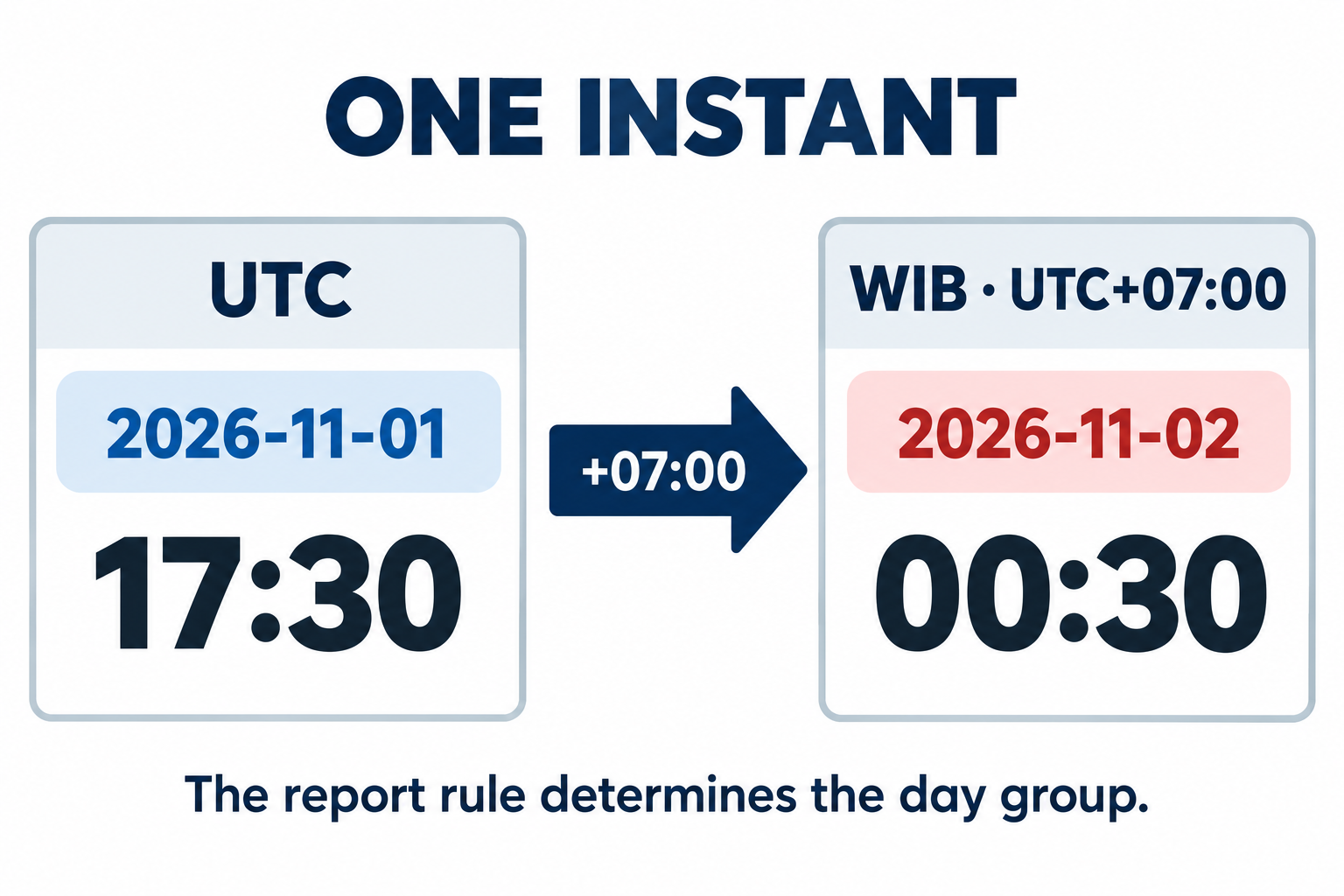
Use an easily checked example: 17:30 UTC on 1 November 2026 is 00:30 WIB on 2 November 2026. It is one instant with two calendar representations. A UTC daily report groups it under 1 November; a WIB daily report groups it under 2 November.
Write both representations when investigating a discrepancy. Do not change the original timestamp merely to make daily figures agree. Establish each report’s grouping zone first, then compare genuinely equivalent periods.
| Shared fact | Example representation |
|---|---|
| Event time | The same single instant |
| UTC display | 1 November, 17:30 |
| WIB display | 2 November, 00:30 |
| Reporting day | Determined by the agreed zone |
This is more revealing than testing only transactions in the middle of the day. Boundary problems can remain invisible when every example is several hours away from a date change.
Distinguish calendar dates from event timestamps
A due date selected as 10 November may mean that calendar date, rather than an event at midnight UTC. If the application turns it into a timestamp and converts it for each viewer, the displayed date can change even though the business meaning has not.
By contrast, the moment a request is received is an event that needs a place on a timeline. The system should retain when it occurred, then display it in the relevant zone. Document these requirements separately when designing fields and exports.
W3C’s working note on time and time zones distinguishes calendar-based date or time values from particular instants. It is useful background for the technical discussion. Select a representation according to the data’s meaning rather than making every date-looking field behave alike.
Define the beginning and end of a period
Agree when a reporting day begins. A WIB calendar report can use 00:00 WIB as its start and stop before 00:00 WIB on the following day. This example uses an exclusive ending boundary, so an event exactly at the next day’s start is not counted in both periods.
If the business follows a shift boundary different from midnight, give that rule an explicit name. An operational day ending at a shift change need not be identical to a calendar date. Do not change the rule silently in one dashboard.
Also specify which event time controls inclusion: creation, payment, dispatch or completion. Reports in the same time zone can still differ when one uses creation time and the other completion time. Compare the definitions before declaring either report faulty.
Use a named zone where the requirement needs it
For WIB reporting, state the zone clearly, such as Asia/Jakarta, with a label readers understand. “Local time” is ambiguous when a report is opened from different locations or device settings.
IANA describes the time-zone database used for the history of location-specific time rules. Zone names and UTC offsets serve different purposes, especially where an application also covers regions with rule changes or daylight saving. A single WIB conversion example should not become a universal rule for every territory.
On an export, identify the zone used for grouping and display. Screen values, CSV files and receiving systems should remain understandable in the same context. A column named only “date” often does too little to explain those distinctions.
Reconcile reports by event identity
Take examples on both sides of the period boundary. Record the transaction identity, original time, display zone and expected reporting day. Compare the same rows between the dashboard and export before comparing totals.
Test an event exactly at the period start, one immediately before the end and one exactly at the next period’s start. Include a calendar-only date to confirm that it does not shift. Where several business zones are involved, use examples for their actual rules rather than simply changing a label.
Keep the period definition with the report so a future reader can understand its basis. Record definition changes because they can affect historical comparisons. Data history and report definitions complement each other; one cannot explain every discrepancy without the other.
For a discussion with Creatyf, bring one traceable example rather than only screenshots of totals. Connect it with the web-app change history so the team can inspect the same event while understanding the day-grouping rule used by the report.
Official sources
Build
Continue with related guides.

Preparing a Business Website Project
A practical guide to aligning goals, users, content, ownership, scope, and operational readiness before a business website project begins.

Websites, Web Apps, or Mobile Apps
A decision framework for choosing a website, web app, or mobile app based on user tasks, device capabilities, data, distribution, and operating cost.

From Business Goal to an Actionable Digital Brief
How to connect a business problem, user needs, scope, constraints, evidence, and project decisions in one actionable brief.