

Offline and Unsaved: Honest Status Messages in a Web App
Offline status and unsaved status answer different questions in a web app.

Offline status and unsaved status answer different questions in a web app. Offline is a connection hint; unsaved describes the state of a data change. An app can appear connected while a save fails, or retain a local edit that has never reached the shared system.
The word “saved” therefore needs an agreed meaning. The process owner should know whether it means the content remains in the tab, has been stored on the device or has been accepted by the server. A small wording difference can determine whether a person closes the page confidently or loses unfinished work.
Name the evidence the app actually has
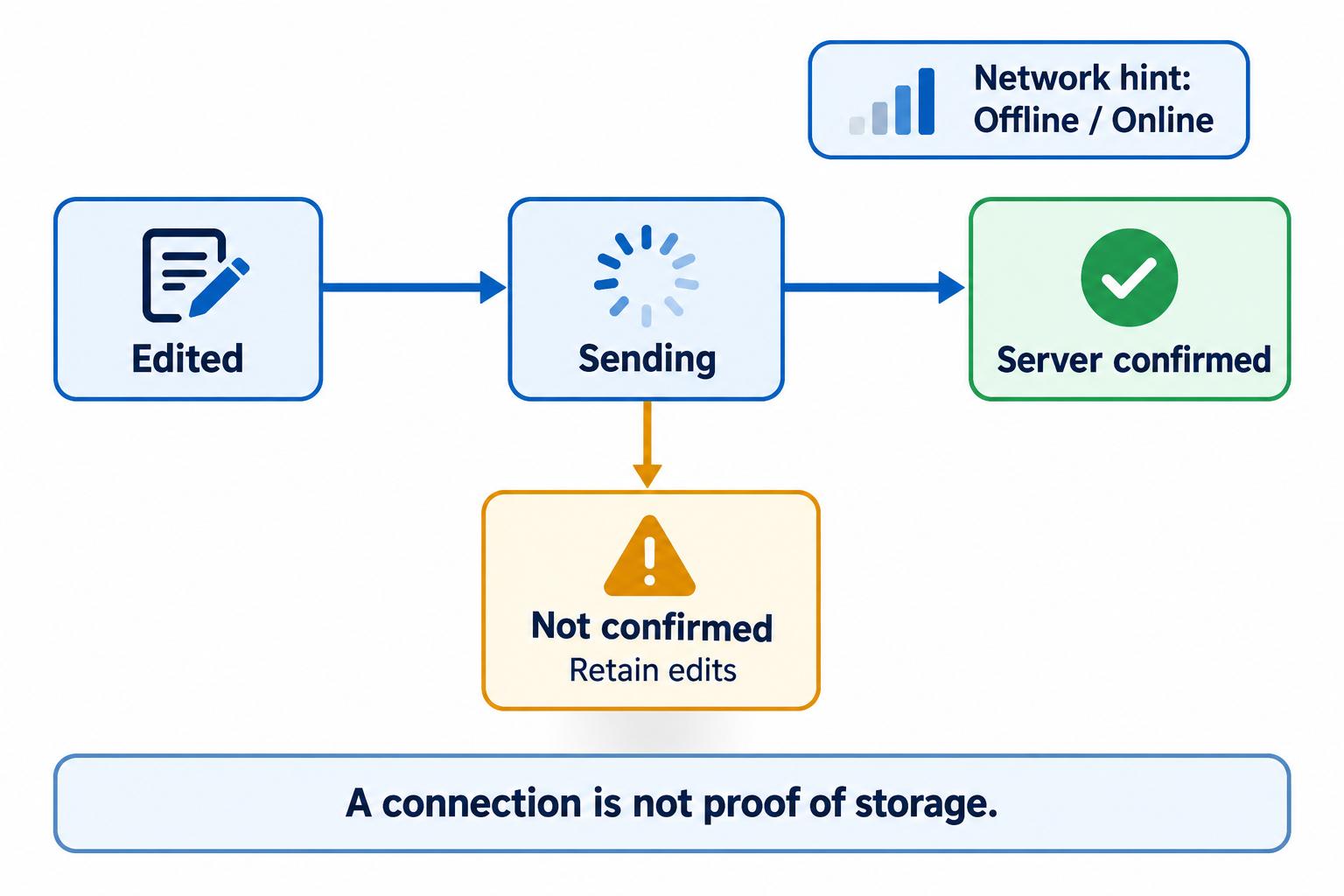
Imagine a staff member changing a quantity on request P-104. After typing, the app has a new edit. After pressing save, a request is being sent. Only after the system confirms the appropriate result can the app report that the intended change is saved on the server.
If the connection breaks after transmission, the outcome may be unknown. That differs from an explicit rejection, such as invalid input. A useful message says the save has not been confirmed, preserves the edit and provides a way to check the outcome before another attempt.
| State | What can be stated |
|---|---|
| Edited | The displayed content differs from the last confirmed version |
| Sending | Transmission has not produced a final result |
| Confirmed | The system accepted the intended version |
| Unconfirmed | The storage outcome cannot yet be established |
Choose names that match the app’s actual capability. Do not say “saved on this device” if the content is only in tab memory and may disappear when the page closes.
Treat network indicators as hints
A Wi-Fi icon does not prove the destination system is reachable. A device may be connected to a local network that still needs a sign-in, while one particular service may be unavailable. Equally, the device’s offline indication depends on how its operating system tests connectivity.
MDN’s documentation for Navigator.onLine explains why it cannot be treated as reliable proof on its own. In product design, use the network hint to help explain circumstances, while determining save status from the actual operation result.
Present those facts separately. A connection hint might sit near general application status, while the data status belongs with the form being edited. The user should not have to guess whether a green symbol means internet access or successful acceptance of their changes.
Define what survives a page change
Discuss navigation, reloads, tab closure and opening the app on another device. Do not promise recovery simply because text remains visible after connectivity returns. Durable local storage needs its own decisions about storage location, lifetime, access and which information is appropriate to retain there.
Figma documents the specific offline behaviour of its product. That example shows why offline capability must be described per application; another web app does not inherit those features automatically.
For a business form, identify the actual requirement. Must a person resume after closing the browser, or is a warning before leaving an unsent edit sufficient? Those are different scopes and should be agreed early. Clear requirements avoid a vague “offline support” label concealing several unimplemented expectations.
Provide a next step when the outcome is unclear
A retry button needs a meaning the team understands. If the first transmission may already have been accepted, the app needs a way to reconcile its result so repeating the action does not create a duplicate business transaction. Disabling the button briefly does not resolve that uncertainty.
For P-104, the user could be guided to check the last confirmed request version. If the system uses an operation identity to recognise repeated attempts, explain the outcome with the appropriate message. Do not make creating another request the default answer whenever a network is slow.
If other people can edit the same record, define version comparison when connectivity returns. An older local change should not silently replace another person’s work without an agreed conflict rule. Save recovery and business approval remain separate decisions even when they appear on the same screen.
Test a work story rather than the icon alone
Use one example form and record its starting version. Test loss of connection before submission, during transmission and after the server accepts a change but before the screen receives the response. Developers can create controlled conditions without using customer records.
Check the retained content, status message, available actions and actual destination record. A restored connection should take the person towards an understandable state rather than immediately erasing the warning or declaring success without evidence.
Also agree status language across forms. If one screen says “safe” and another says “complete”, people may assume the same meaning even though the available evidence differs. Consistency should follow the underlying states, rather than merely using the same colour everywhere.
When discussing a web app with Creatyf, bring the work that must survive and the connection conditions it needs to support. Connect this with draft and final data states: stored data is not necessarily final, while visible data is not necessarily stored.
Official sources
Build
Continue with related guides.

Preparing a Business Website Project
A practical guide to aligning goals, users, content, ownership, scope, and operational readiness before a business website project begins.

Websites, Web Apps, or Mobile Apps
A decision framework for choosing a website, web app, or mobile app based on user tasks, device capabilities, data, distribution, and operating cost.

From Business Goal to an Actionable Digital Brief
How to connect a business problem, user needs, scope, constraints, evidence, and project decisions in one actionable brief.