

Missing Values, Defaults and Required Fields: Define Meaning before the Form
Missing values, zero and defaults need clear meanings in a business web app.

Missing values, zero and defaults need clear meanings in a business web app. They can lead to different decisions when information reaches a report or the next stage of work.
A form may look complete because every box displays something. An automatically inserted zero, however, may not come from a user’s observation. Today’s date shown as a default is not necessarily the date of an event. Before writing error messages, agree what the stored information means and when it can legitimately be considered complete.
Distinguish unknown from an observed zero
Consider a receiving record with a quantity and inspection date. Zero can mean that someone checked and confirmed that no units arrived. An unknown quantity means the check has not yet produced a figure. If both become zero, a report loses the distinction between no goods and no information.
Use actual work examples to uncover those differences. Ask whether a field can be unknown, inapplicable or always required. When two states call for different actions, do not combine them merely because both could appear as an empty box on a screen.
In databases, NULL generally denotes the absence of a value rather than the number zero. Its technical representation must follow the engine and application design. A report reader needs the business meaning: has something not been checked, not been supplied, or simply not been required in this case?
| State | Business question |
|---|---|
| Unknown | Who will complete it, and when? |
| Zero | Has the zero quantity been confirmed? |
| Not applicable | Why is the field irrelevant here? |
| Default | Which rule supplied this value? |
If not applicable differs operationally from unknown, discuss an explicit status with the process owner. A punctuation mark understood only by the original team is a weak long-term convention.
A default supplies a value without proving a fact
A default can help where a choice genuinely follows an established working pattern. Automatic population still needs an explanation. Users should understand whether a value comes from their choice, a system rule or information carried from an earlier record.
Oracle’s data-integrity documentation distinguishes defaults from a rule prohibiting null values. SQL Server’s default-value guidance likewise treats defaults as part of a column definition. Read the implementation details for the technology actually in use.
State when the default applies and whether users may replace it. Define the treatment of existing data too. Adding a new rule should not be assumed to repair all earlier records or establish that their previous values were correct. That is a separate data-review question rather than an automatic consequence of changing a definition.
Decide at which stage a value becomes required
A field may be unnecessary in a draft but required before submission. A completion date may become available only when work finishes. Requiring everything at the beginning can encourage guessed or temporary entries that later look like verified facts.
Arrange requirements by stage. Record what is needed to save a draft, submit a request, approve it and finish the work. Define the conditions and permissions for each status change. One “required” label on a form cannot describe the full lifecycle of the information.
Separate the presence of a value from its validity. A populated quantity may still violate a business rule. A correctly formatted date may contradict the event sequence. Apply the agreed rules through relevant storage paths, including imports and integrations, rather than only the most frequently used form.
Test missing values through reports and downstream work
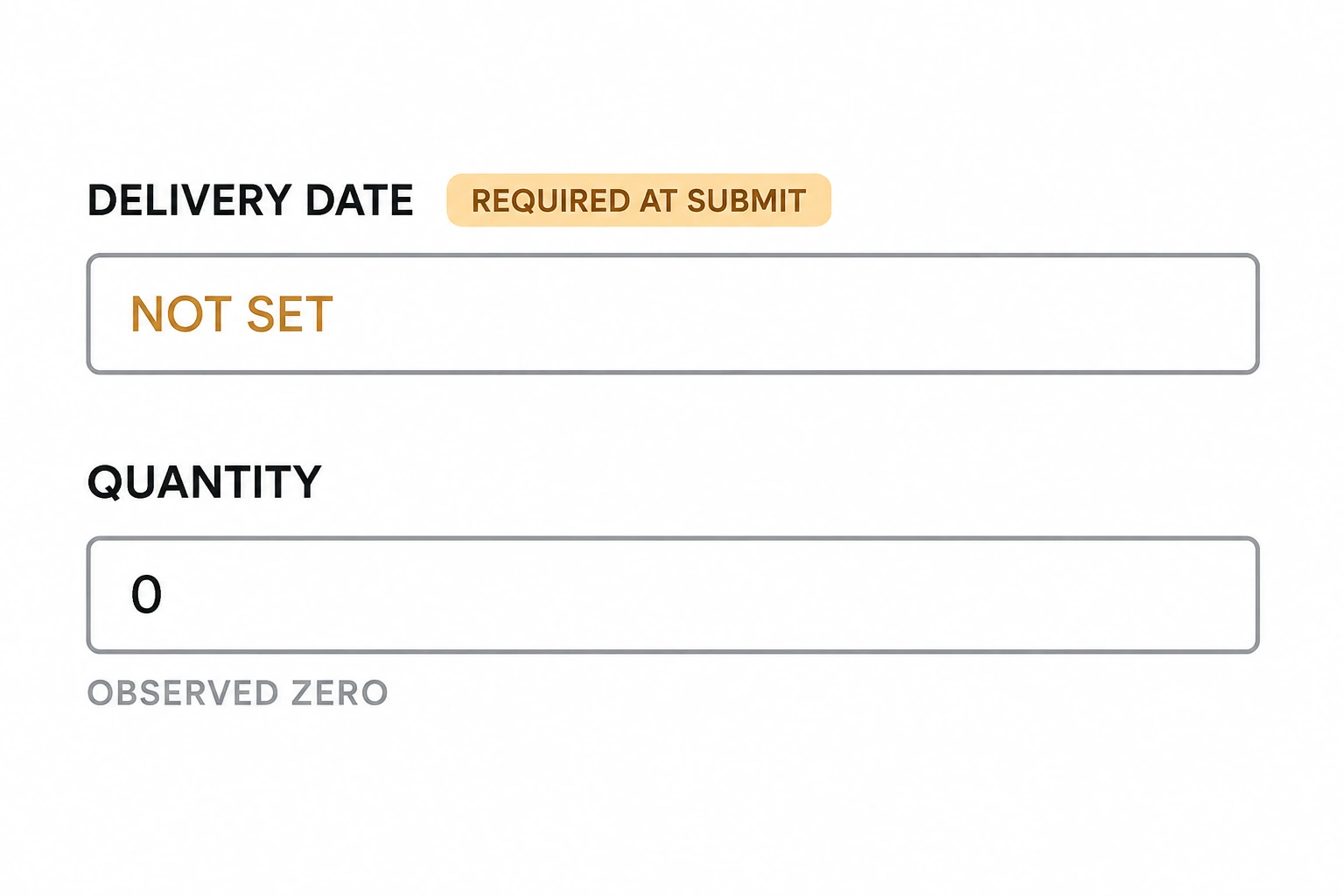
Prepare records representing unknown information, confirmed zero, an ordinary value and a default later changed by a user. Follow them into reports or subsequent tasks. Check whether labels, grouping and results preserve the agreed meanings rather than silently combining distinct states.
For example, a list of uninspected records should not disappear because the application replaces missing information with zero. A quantity summary should also make it possible to understand whether all relevant rows contain data. Agree how completeness is communicated with the report’s readers instead of inferring it from a total.
Test clearing a value and saving again. Does the user intend to restore an unknown state, or correct a figure? A rejection needs an understandable reason. If the change is accepted, later reports must still interpret it correctly. These cases often expose gaps that an ordinary filled-in record does not reveal.
Write a short contract for each important field
Record the meaning, value type, permitted missing states, default, required stage and downstream users. Add accepted and rejected examples. This contract becomes shared input for forms, storage, imports and reports instead of leaving each implementation to invent its own interpretation.
Then work on the form’s validation messages. A useful message explains an already agreed rule. In that order, the user is asked for meaningful information that enables the next task, rather than merely being asked to put something into an empty box.
Official sources
Build
Continue with related guides.

Preparing a Business Website Project
A practical guide to aligning goals, users, content, ownership, scope, and operational readiness before a business website project begins.

Websites, Web Apps, or Mobile Apps
A decision framework for choosing a website, web app, or mobile app based on user tasks, device capabilities, data, distribution, and operating cost.

From Business Goal to an Actionable Digital Brief
How to connect a business problem, user needs, scope, constraints, evidence, and project decisions in one actionable brief.